01 / 06
Set your direction
Choose the music brief, song count, vocals, background and video preset.
Result: Settings for this project
View guide ↗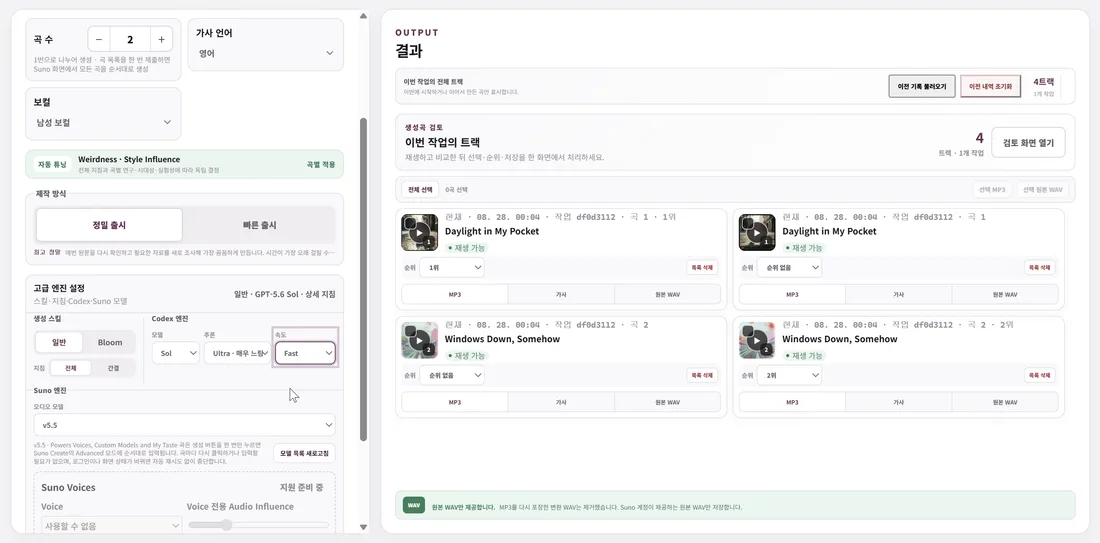
 Playlist Playground
Choose and refine each stage, or let One Touch follow your saved settings.
01 / 06
Choose the music brief, song count, vocals, background and video preset.
Result: Settings for this project
View guide ↗02 / 06
Prepare lyrics and styles, submit to Suno, then listen and rank or continue with automatic selection.
Result: Selected songs
View guide ↗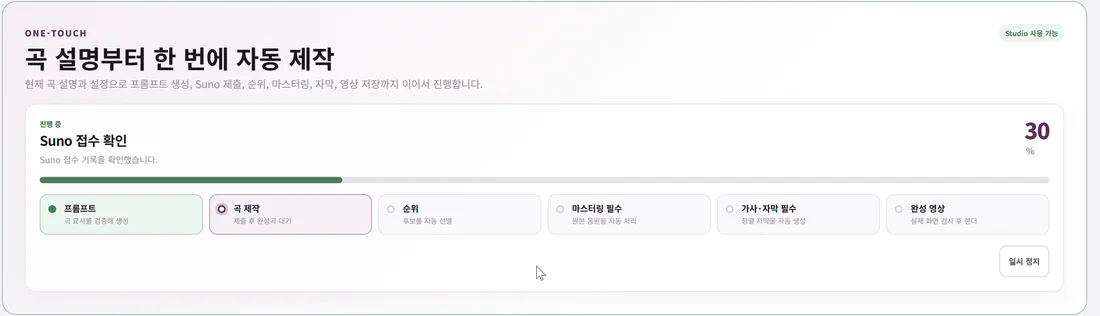
03 / 06
Use the selected songs and apply mastering when needed.
Result: Audio for the video
View guide ↗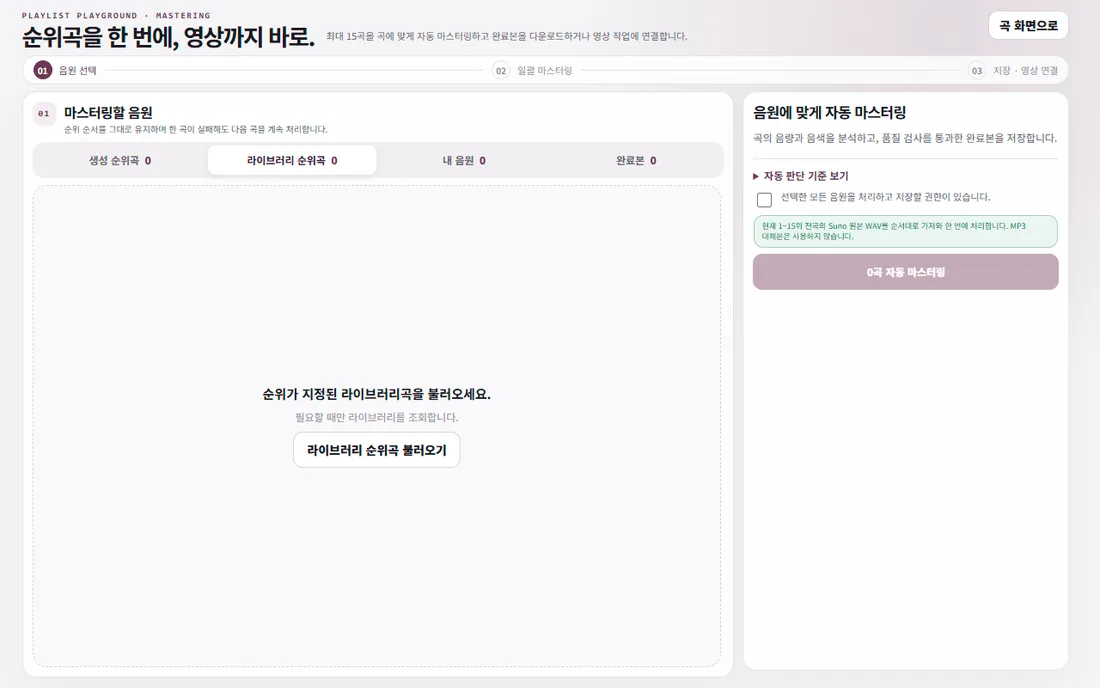
04 / 06
Choose whether to use captions and select their font and placement.
Result: Captions for the video
View guide ↗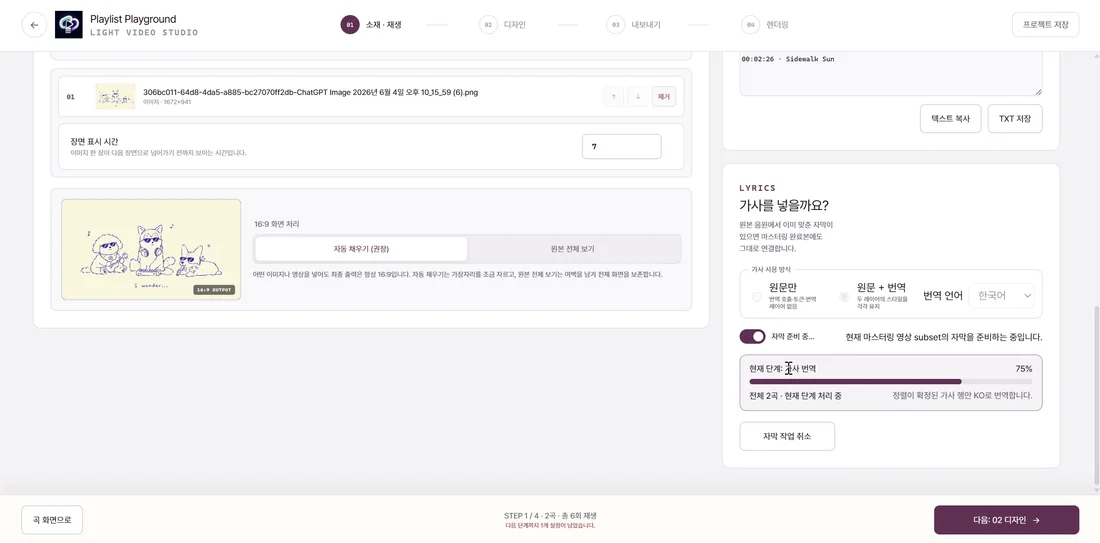
05 / 06
Apply your background and editing settings, then save and review the file.
Result: A playlist video
View guide ↗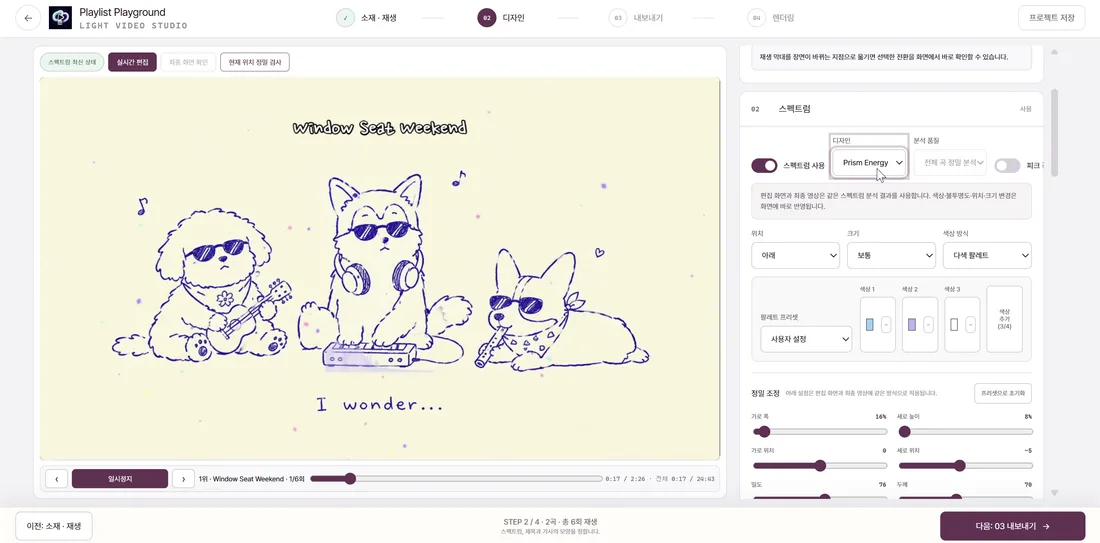
06 / 06
Save channel, title, description and visibility before enabling automatic publishing.
Result: Upload status
View guide ↗Save channel, title, description and visibility before enabling automatic publishing.